 Polyscope
Read files and logs, wherever they live.
A local folder, an S3 bucket, the files inside a Kubernetes pod and every container log in a namespace, side by side in one read-only viewer. For Windows, macOS, Linux and VS Code. Free and open source.
- INFO Started checkout-api 2.14.1 in 5.912 seconds
- INFO POST /api/checkout user=u-18823 201 184ms order=48213
- INFO GET /api/cart/9a1e user=u-20117 200 11ms
- WARN Payment gateway slow: 2312ms for authorize
- INFO POST /api/checkout user=u-20117 201 2398ms order=48214
- ERROR Order 48215 failed: payment declined (card_declined)
- INFO GET /api/cart/77b0 user=u-31002 200 9ms
- INFO POST /api/checkout user=u-31002 201 203ms order=48216
- DEBUG Cache hit ratio 0.94 over the last minute
One sidebar for every place your logs end up
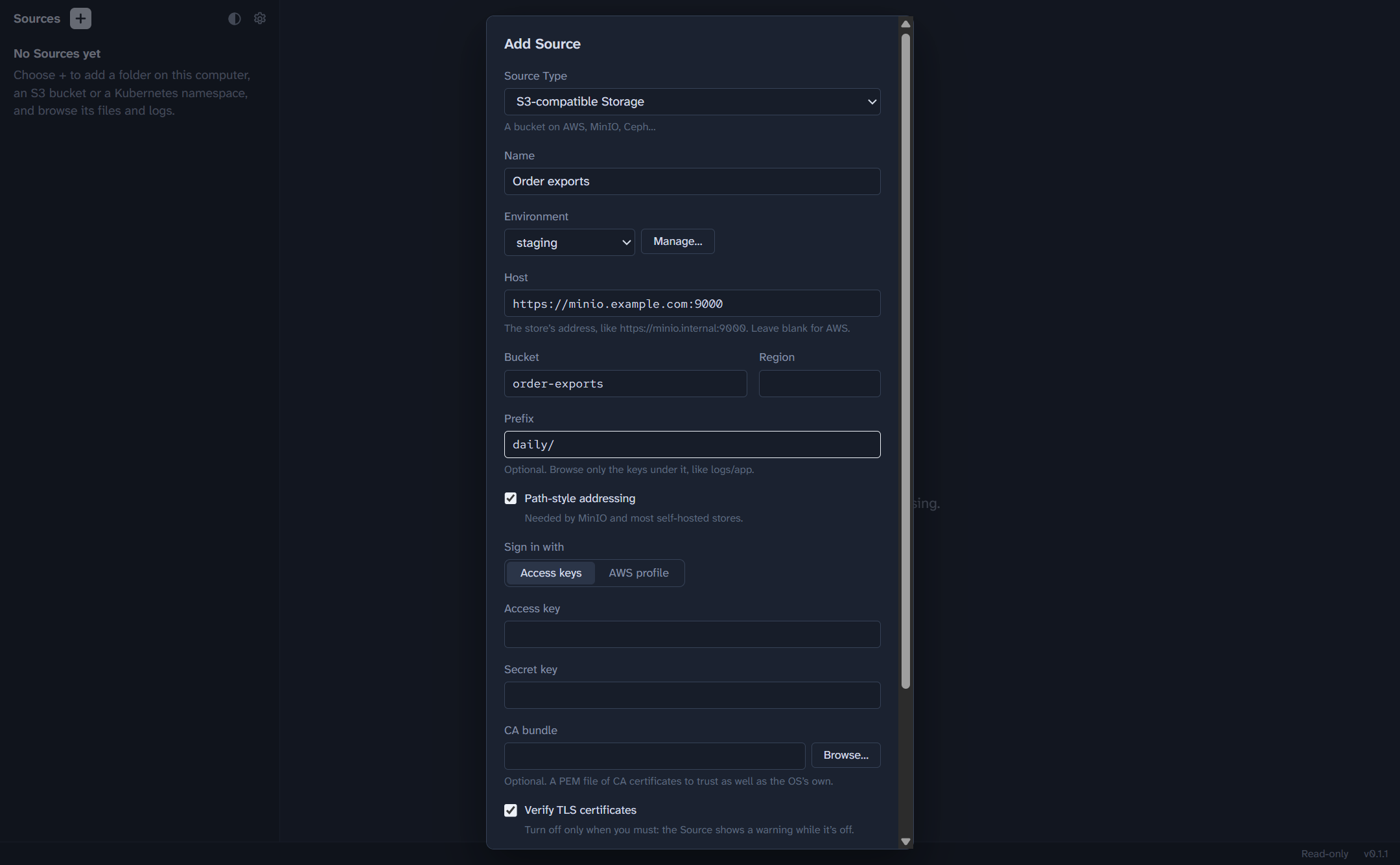
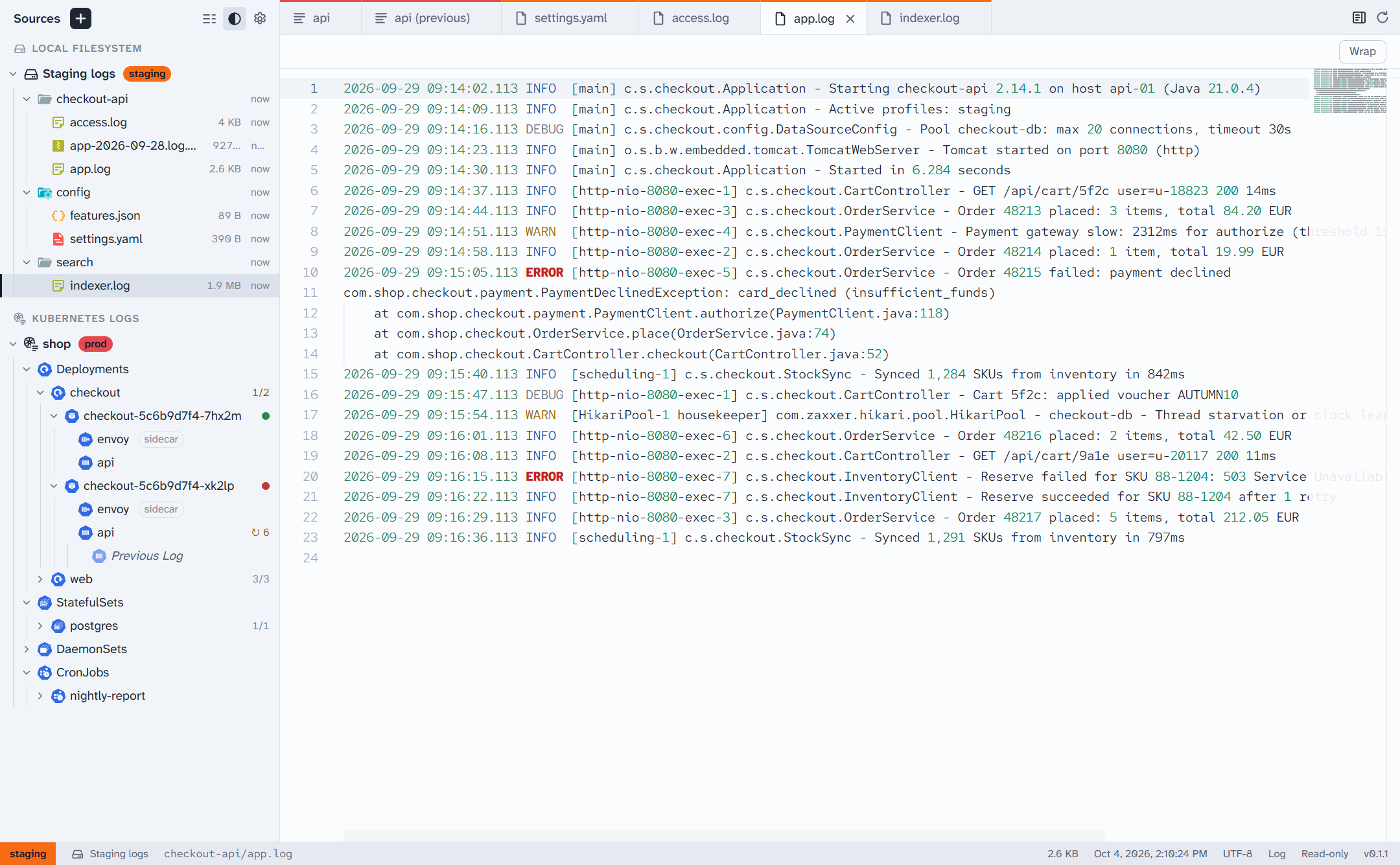
Set each place up once as a Source. Polyscope signs in the way your existing tools already do, so there are no new credentials to manage.
| Source | What it shows | Signs in with |
|---|---|---|
| Local Filesystem | A folder on this machine, or a UNC share on Windows | Your own file permissions |
| S3-compatible Storage | A bucket, or the keys under a prefix, on AWS S3, MinIO, Ceph and others | Access keys, or an AWS profile (SSO included) |
| Kubernetes Files | A folder inside every pod of one Deployment, StatefulSet or DaemonSet | Your kubeconfig, as kubectl does |
| Kubernetes Logs | Every container's log in a namespace, grouped by workload, with pod health and restarts | Your kubeconfig, as kubectl does |
Built for reading, not editing
- A real viewer
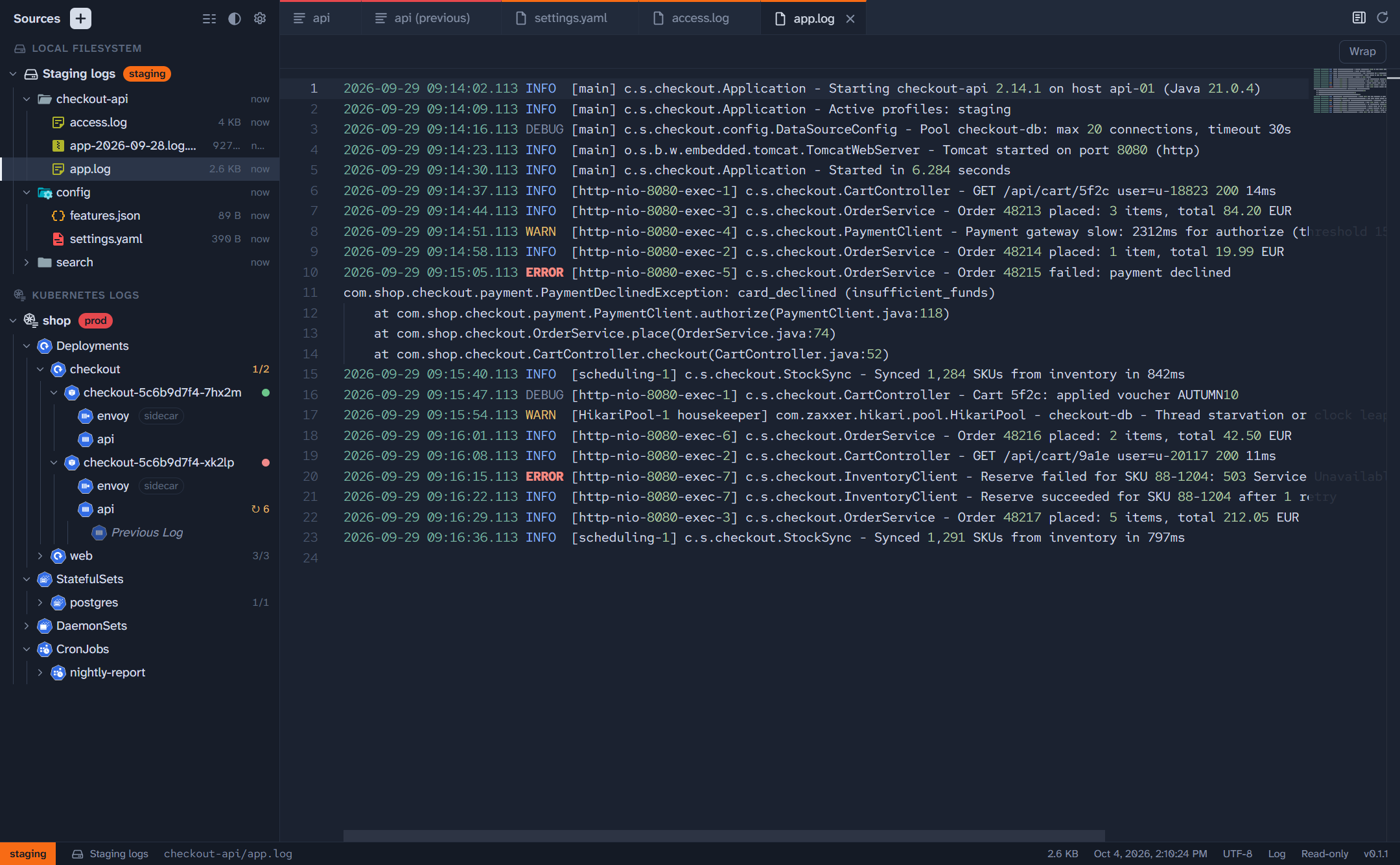
- Tabs, syntax and log-level highlighting, search, a minimap and line wrapping. Gzip and zstd files open decompressed. It's the editor behind VS Code, opened read-only.
- Logs that keep up
- Follow a container's log or a growing file live. Pause to read, then pick up where you left off. A crashed container's previous log is one toggle away, in the same tab.
- Files of any size
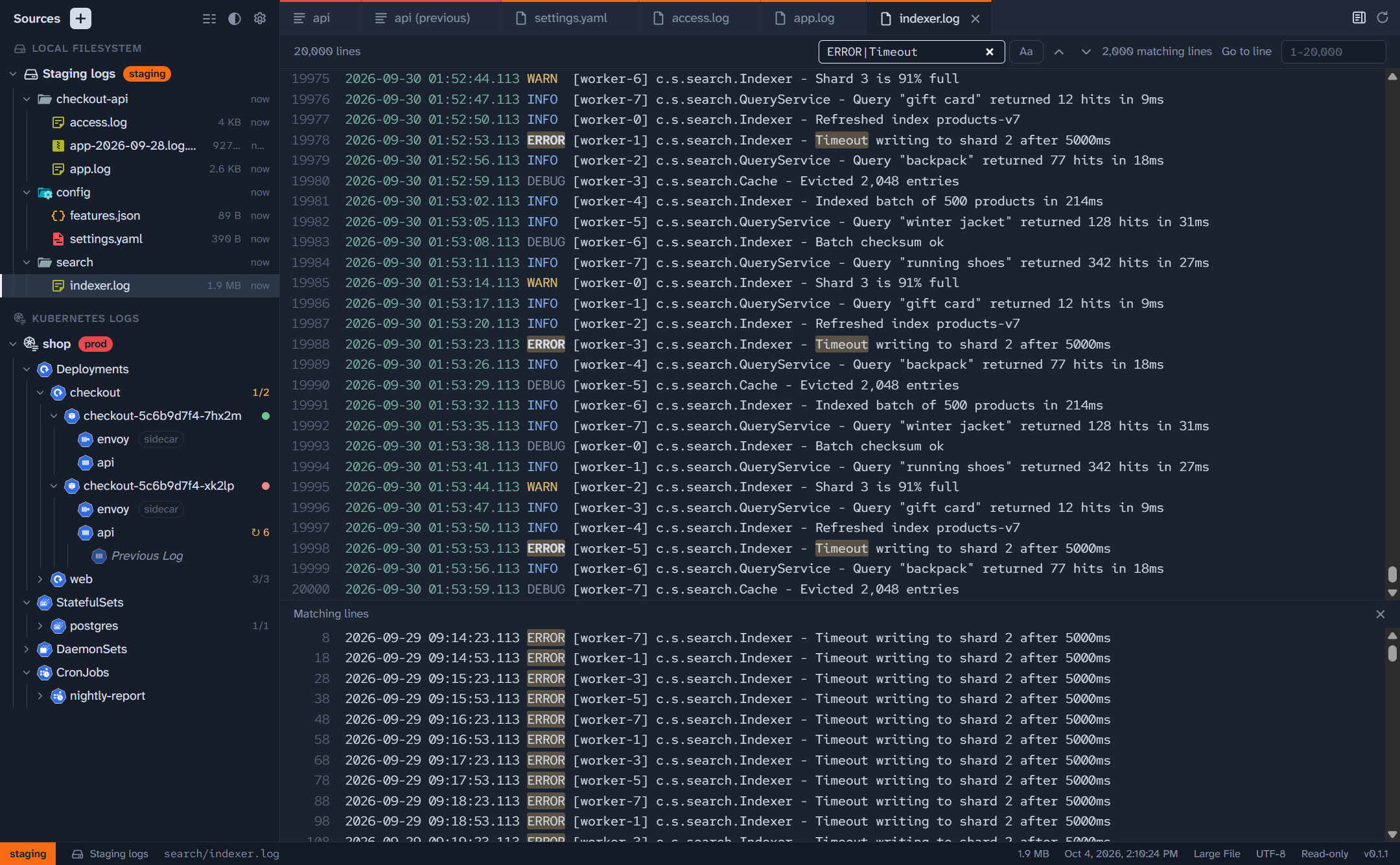
- Files over 50 MB open end-first in a paged viewer that jumps to any line and searches the whole file with a regular expression, without loading it into memory.
- Always know where you are
- Label Sources with an environment like prod or staging. Its colour follows you onto every tab and the status bar.
- Read-only and private
- Polyscope never writes to what it reads and collects no telemetry. Secrets are encrypted with your operating system's secure storage.
- In VS Code too
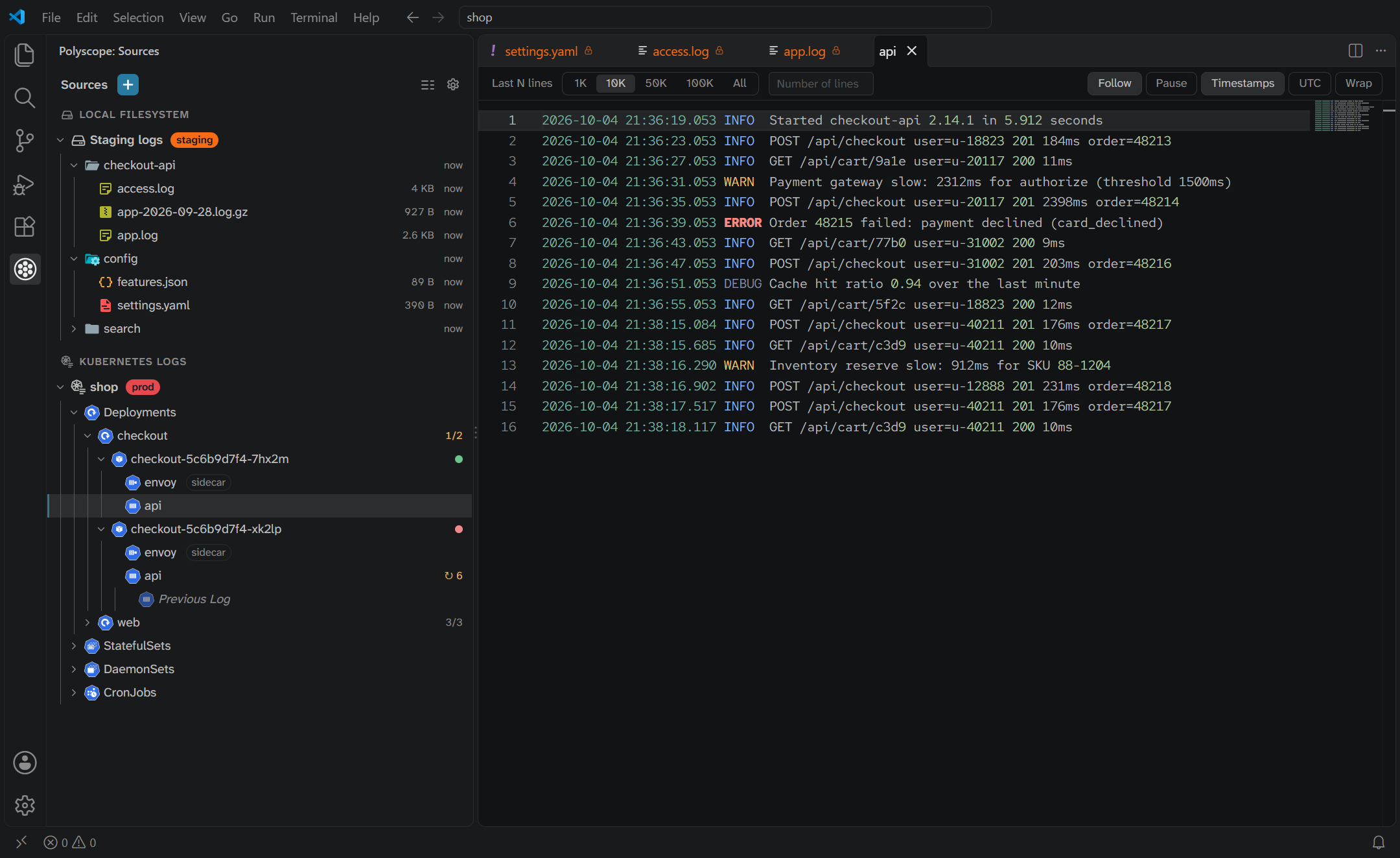
- The extension brings the same Sources sidebar to VS Code, VSCodium, Cursor and Windsurf, and runs on the remote machine under Remote-SSH, WSL and Dev Containers.
Take a look
Install
Desktop app
Download it from the latest release on GitHub.
- Windows Installer
.exe, or a portable.exeor.zipthat runs without installing - macOS
.dmgfor Apple silicon or Intel - Linux
.AppImage,.debor.rpm
The downloads aren't code-signed yet, so your system will warn you the first time you open Polyscope. How to get past the warning.
VS Code extension
Search for Polyscope in the Extensions view, or install it from your editor's marketplace.
- VS Code Marketplace For VS Code
- Open VSX For VSCodium, Cursor and Windsurf
code --install-extension ducttapeworks.polyscope